Managing CMS Access

The template is built with a native CMS that lets you manage content easily through a friendly admin UI.
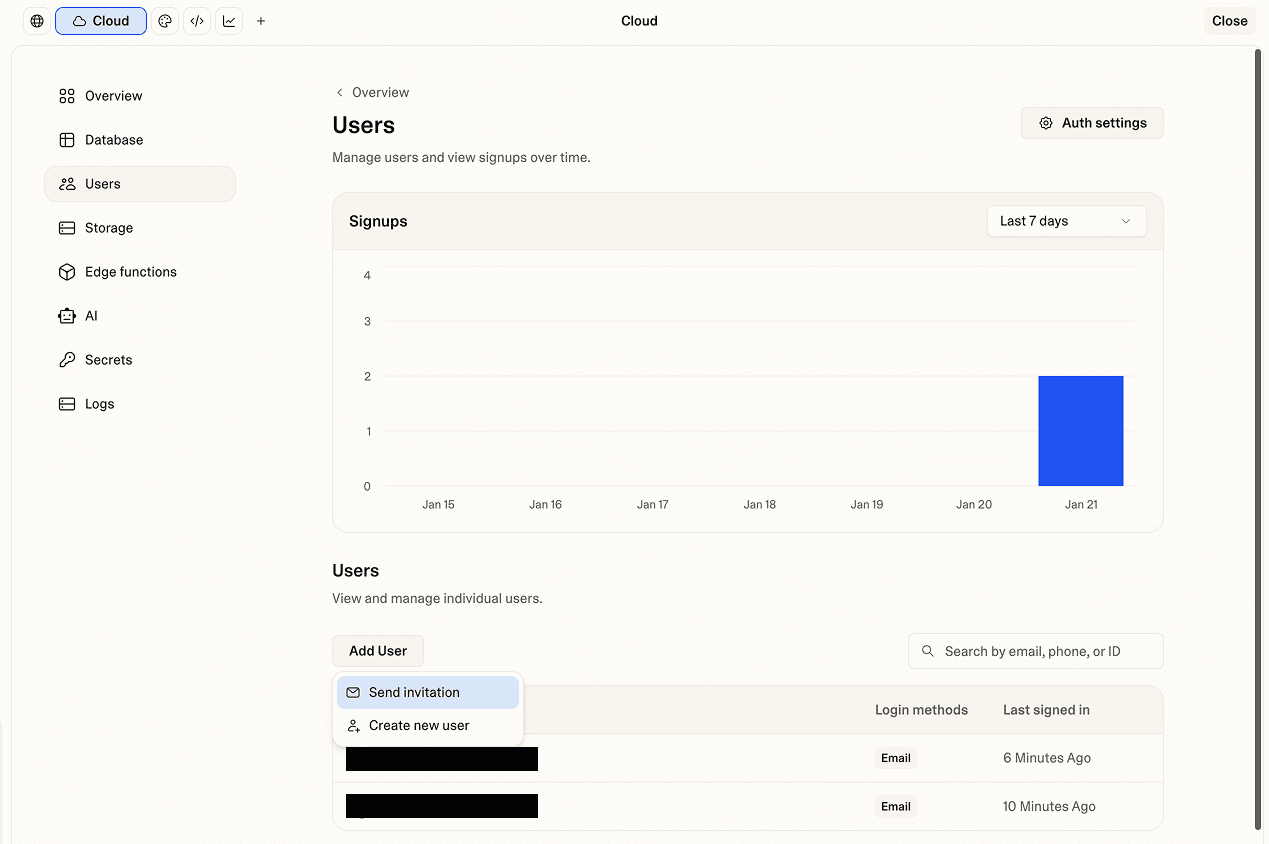
1. Add your first user via Lovable Cloud
Go to Cloud → Users
On the Users page, click Add user → Send invitation
Enter the user’s email address and send the invite
2. Add additional users via Admin Access page
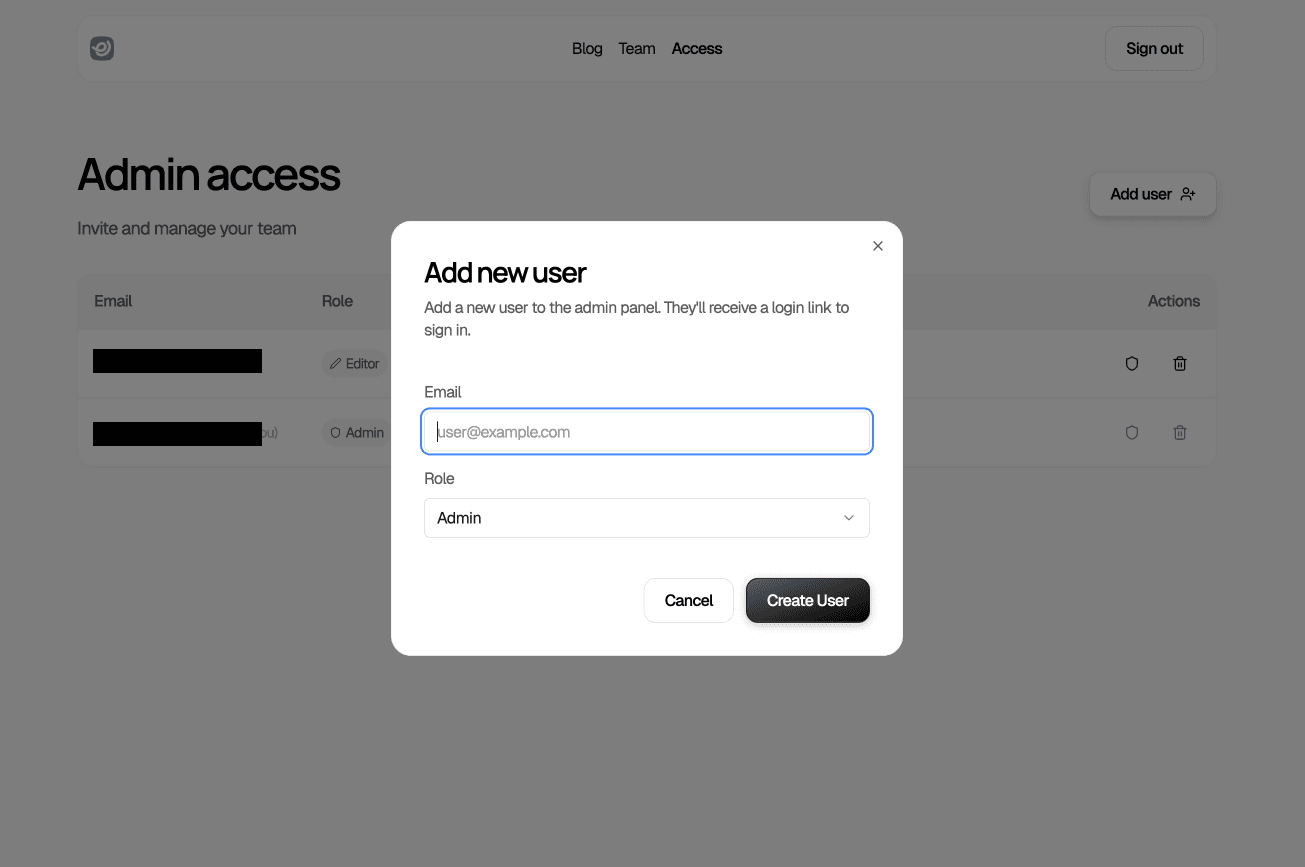
Log in to the Admin system
Go to Access page
Click Add user
User roles
There are two roles available:
Admin: Full access to all actions, including CMS content and user roles
Editor: Limited to managing CMS content only
⚠️ Important: Only the first user invited via Lovable Cloud is automatically assigned the Admin role. All subsequent users must be invited through the Admin Access page to ensure their roles are properly assigned.
If you plan to invite additional users through Lovable Cloud, ask Lovable to assign a default role, such as Editor, for all users added after the first.