

Jennifer L.
Founder & Designer at Lunis

The real problem with chat-first design tools
Every vibe design tool follows the same pattern: describe what you want, get a full page back, then start prompting to fix it. That last part is where the pain starts.
I've used Claude Design and Lovable. They're great at generating a first draft, but the moment you try to refine it into something shippable, the experience falls apart.
I've spent entire sessions asking Claude Design to nudge a button up by 2 pixels. To change a border radius from 12 to 8. Each prompt costs credits, takes time, and often introduces new problems I didn't ask for. One fix breaks another, and suddenly I'm spending more time managing the AI than I would have spent just designing the page myself.
The fundamental issue: precision. You can't just click and fix something. You have to describe the fix in words and hope the AI interprets it correctly. Here's why I think Framer's AI Agent solves the problems these tools create.
Framer lets you touch what the AI builds
Framer's AI Agent works inside the design canvas, not above it. The Agent generates elements directly on your canvas, and from that point they're regular Framer layers. When the spacing feels off, I drag it. When I want a different border radius, I click the element and change the value. No prompt, no waiting, no credits spent.
This means I use AI when it's genuinely faster and switch to direct editing when precision matters:
AI is faster: generating a full page layout, building responsive breakpoints, setting up CMS collections
Direct editing is faster: adjusting spacing, fine-tuning typography, aligning elements, tweaking colors
I'm never locked into a prompt-only workflow. That flexibility alone has saved me hours compared to my experience with Lovable and Claude Design.
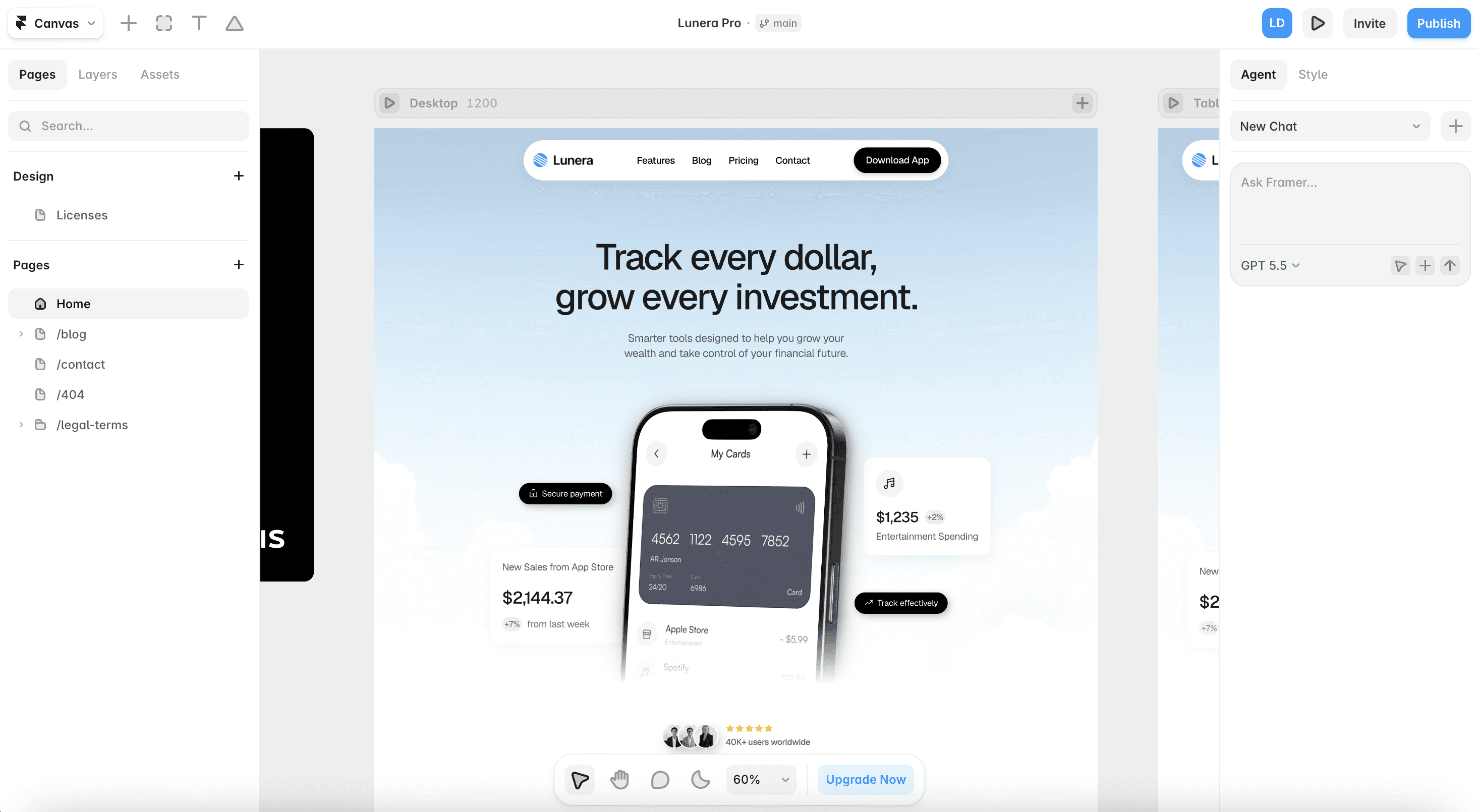
Better context, fewer hallucinations
The other frustration I kept hitting with chat-first tools: the AI doesn't understand my project. It guesses my color palette, invents font choices, and produces layouts disconnected from my existing design.
Framer's Agent solves this with project-level context:
@ mention styles and pages. I reference my existing text styles, color variables, or specific pages directly in my prompt. The Agent uses what I've already defined instead of making things up.
Click-to-add context. Select any layer on the canvas and pull it into the chat as visual reference. The Agent sees exactly what I'm working with.
Design system awareness. When I ask the Agent to create a new section, it pulls from my existing components and variables rather than generating something that doesn't match.
The output is grounded in my actual project, not a generic interpretation of my words. I spend far less time correcting the AI.
Optimized for the work you actually avoid
Vibe design tools are built for generating first drafts. That's useful, but it's not where most of my time goes. The real time sinks are the tedious, repetitive tasks after the initial design is done.
This is where Framer's Agent makes the biggest difference:
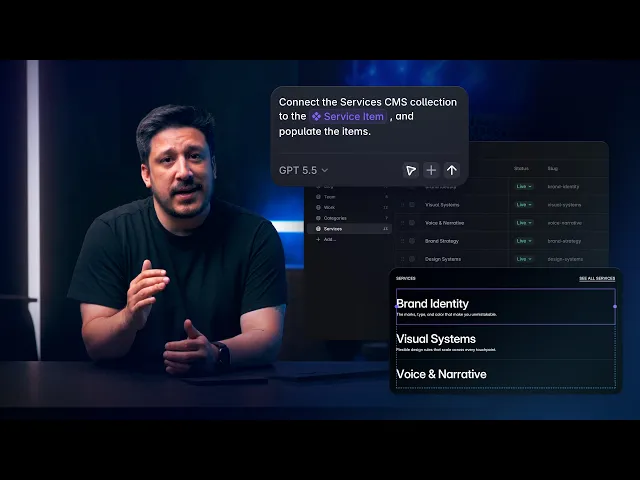
CMS management. Create collections, wire fields, batch-edit entries. What used to take hours of clicking takes minutes.
Component creation. The Agent spots repeated patterns and refactors them into reusable components with variables and instances.
Responsive breakpoints. Let the Agent generate tablet and mobile layouts, then review and tweak directly on the canvas.
Style cleanup. Find unlinked text layers, match them to your type scale, generate light/dark themes from existing values.
These are tasks where AI is genuinely transformative, not because the work is hard, but because it's repetitive. The Agent handles the grunt work so I can focus on decisions that actually need a designer's eye.
Start with a template, let the Agent customize
If you want the fastest path to a finished site, start with a template. Pick a free or paid Framer template that already has the structure and conversion flow you need, then let the AI Agent handle the customization: swap your brand colors, update typography, rewrite copy to match your tone. You get a professionally designed foundation with AI-powered speed on top.
Real demo: Customize the Velora template with Framer AI Agent
See how we customized the font styles and hero section within 2 minutes.
Browse free and premium templates at Lunis Design to find a starting point, then let the Agent make it yours.
Swap in your logo, colors, fonts, and content. No code needed.