
Jennifer L.
Founder & Designer at Lunis

The "AI look" is real
Open ten AI-generated websites side by side and you'll notice the same patterns repeating:
The same gradient hero section for tech websites (usually blue or purple)
2 or 3-column layout throughout the site
Rounded buttons with generic style
Uniform spacing and proportion. Every section feels equally weighted, equally spaced.
No visual personality. Everything is calibrated to the middle.
Below is a real website I generated with Google Stitch.
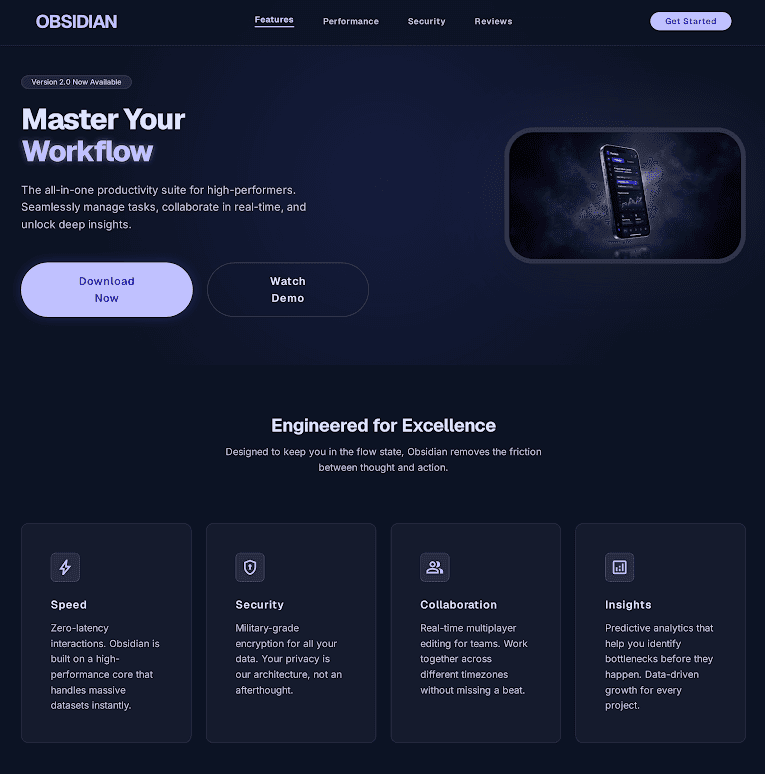
I've seen this exact combination so many times now that I can spot an AI-generated site within seconds. And if I can spot it, your visitors can too.
Go browse sites built with Lovable or Claude and you'll see it immediately. Every site feels like it came from the same mold. A fintech dashboard app and a yoga studio end up looking like cousins because the AI treated both as "a modern website."
Why every AI site looks the same
AI models are trained on massive datasets of existing websites. When you prompt "a modern SaaS landing page," the model returns the most statistically probable version of that page. Not the most original, not the most memorable, just the average of everything it's seen before.
The AI doesn't know your positioning, your audience, or the visual language that would make your product distinct. It just knows what "modern" usually looks like and returns the average.
Why this matters more than you think
Research from the Stanford Web Credibility Project found that nearly half of people judge a site's credibility based partly on its visual design. First impressions form in about 50 milliseconds.
When your website looks like every other AI-generated page:
You lose trust. Visitors register "generic" even if they can't articulate why. A site that feels mass-produced doesn't signal investment in your own product.
You lose memorability. A page that looks like every other page is a page nobody recalls. If a potential customer visits 5 competitors in one session, the AI-generated site is the one they forget.
You lose differentiation. Your website is often the first interaction someone has with your brand. If it looks identical to your competitors, you've already lost the chance to stand out.
In 2026, AI has made generic design essentially free. And when something is free and everyone has it, it's worth nothing as a competitive advantage.
What to do instead
You don't need to hire a $15K design agency to avoid the AI look. You need intentional design decisions, which is exactly what a well-designed template gives you.
Start with a template that has a point of view. Good Framer templates are designed by real designers who made deliberate choices about typography, color, spacing, and section flow. Those choices give your site a visual identity that AI can't replicate from a prompt.
Customize with your brand, not with prompts. Swap in your actual brand colors, fonts, and imagery. This takes an hour in Framer and immediately makes the template feel like yours.
Write your own copy. Even if you use AI for a first draft, rewrite every headline and CTA in your own voice. Copy is where "generic" shows up fastest.
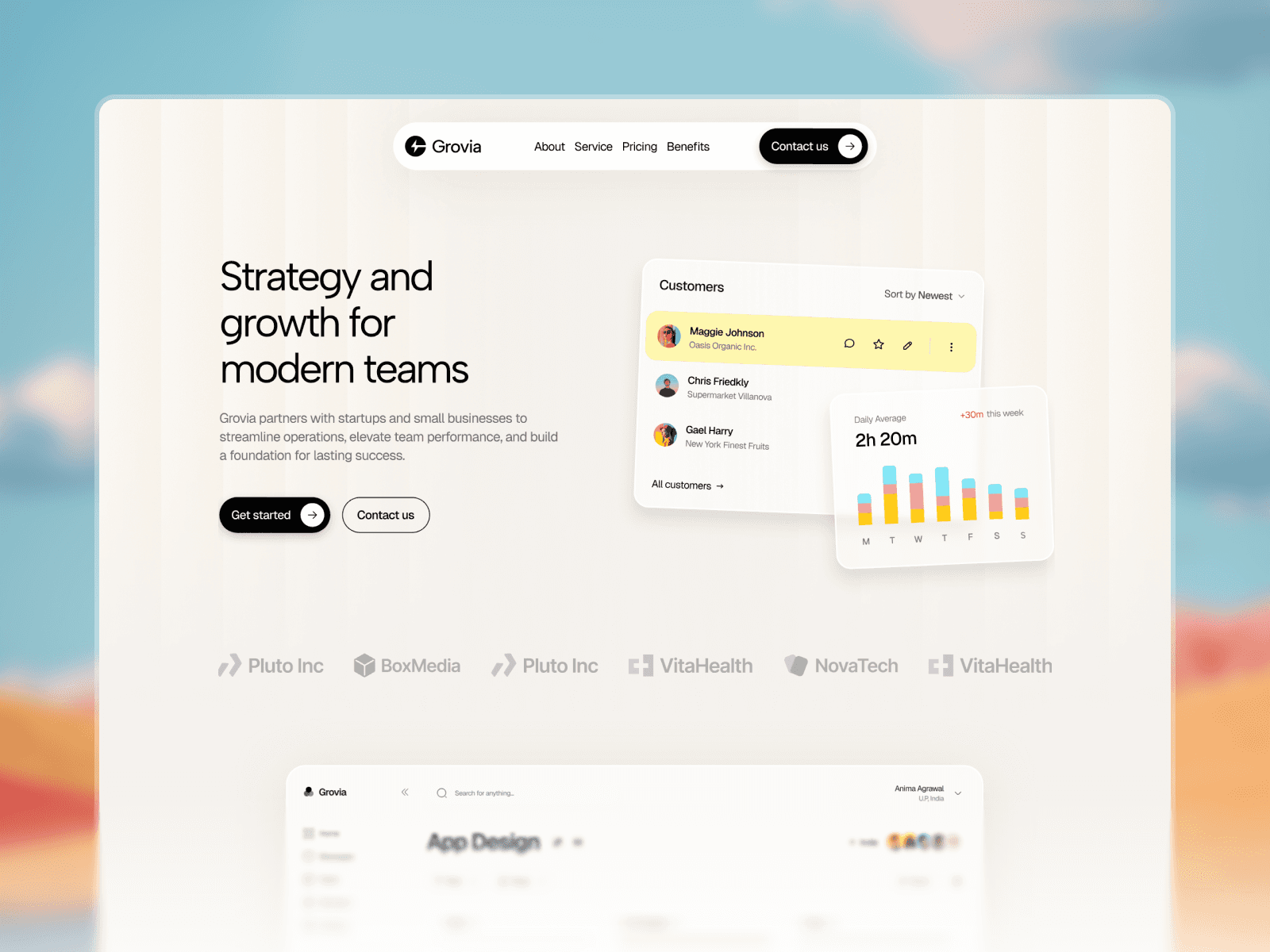
Here's a concrete example. Grovia is a free SaaS template designed with intentional choices: liquid glass UI, structured buyer journey, and sections optimized for real case studies. Every design decision was made by a human, not predicted by an algorithm.
The bottom line
AI is powerful, and this isn't an argument against using it. It's an argument for using it where it actually shines. Instead of spending hours prompting AI to generate a site from scratch and ending up with something generic, start with a template that already has strong, intentional design.
Then let AI do what it's best at: the boring work. Update images, swap colors, adjust layouts. You don't need to learn Framer. Just bring your branding assets, point the AI Agent at the template, and let it customize for you. That's where AI saves you real time without costing you your identity.
Browse free and premium templates at Lunis Design to find a starting point that doesn't look like everything else.
Swap in your logo, colors, fonts, and content. No code needed.